I recently wanted to play one of my favorite old games again, Zentris for DOS by Zensoft and realized how much things have changed. First, my 64-bit version of Windows 7 doesn't like 16-bit DOS apps and refuse to run the game:

Attempting to run on another computer with 32-bit Windows 7 fails because Windows Vista and above no longer supports 16-bit apps in full screen mode required by the game. Although there are various hacks to remove the restriction - some of which may prevent Windows Aero from working, the proper solution is to use DOSBox, which helps me get the game running:
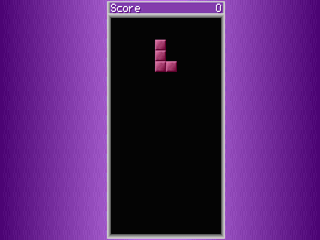 However, because the version I have is a demo version, I was soon irritated by the numerous registration prompts:


Since the full version is no longer available for purchase/download either from the official website or from various abandonware sites, with some time at hand, I decided to disassemble the source code in order to remove the registration prompts.
Decompiling the code
My first attempt was to use the Interactive Disassembler to analyze ZENTRIS.EXE. However, this failed with error "sp-analysis failed" and showed an incomplete disassembly:
 sp is short for stack pointer. In other words, IDA was unable to identify where the sub-functions start or end, presumably due to unexpected changes in the value of the sp pointer, and stopped analyzing the EXE file. I found this post which suggests manually identifying the sub functions. Not an easy task!
The proper solution is to be aware of the fact that the executable has been packed to save disk space, preventing IDA from disassembling it. Using my favorite DOS packer analyzer, unp411, I was soon able to detect that ZENTRIS.EXE has been compressed using PKLITE and unpack it:
 IDA now disassembled the file properly:

However, now the unpacked game didn't even seem to run but instead complained "File ZENTRIS.EXE has been illegally modified". The author has implemented integrity check of the executable file to prevent exactly what I am attempting! What a hassle, but in the end I successfully used Turbo Debugger (IDA does not support debugging 16-bit apps) to locate the various checks, and use HIEW to replace these instructions with 90 NOP, allowing the unpacked game to run.
Removing the registration prompts
It's only now that the real fun began - removing the various registration prompts. Using the same technique as above, I was able to remove the text-mode prompts before and after the game, and the modified game runs flawlessly till the end, when an error message "Divide Error" is shown upon exit:
 I am unable to identify where exactly this error is coming from. From Turbo Debugger disassembly it seems that the error occurs after a RET instruction - most likely due to some previous instructions overflowing some segment registers. Ignoring the error since it does not seem to affect the game functionality, I decided to proceed to try to remove the graphical registration notice.
For a moment I was not able to find any references to the main game logic in ZENTRIS.EXE. It was only then that the structure of the game is clear to me. ZENTRIS.EXE is only used as a loader that loads ZENTRIS.OVL as an overlay. ZENTRIS.OVL is then responsible for the main game logic.
ZENTRIS.OVL is also compressed, surprisingly twice. It is first packed with PKlite and then linked with the EXEPACK option:

Luckily there are no other integrity checks on ZENTRIS.OVL and the game still runs perfectly with the unpacked version of ZENTRIS.OVL.
The challenge
However, I never found a way to make Turbo Debugger step into the unpacked ZENTRIS.OVL in order to locate the call to display the graphics registration prompt. In fact, under Turbo Debugger, the main game wouldn't even start, complaining "out of memory" when trying to load the overlay. It is unclear to me why the game has to be designed this way, perhaps to limit the main executable size to less than 64K (the unpacked ZENTRIS.EXE is already 60K), or more likely, to make disassembling the game a hassle.
The only approach was to use IDA to make an educated guess on which instruction is responsible for the prompt, and then use HIEW to replace them with NOP. Inside ZENTRIS.OVL, I was able to identify a few calls to DOS INT 16h, responsible for keyboard monitoring. Replacing them with NOP and the game was indeed affected, either stopped responding at the menu, or showed the registration prompt and stopped responding without accepting keyboard input. This proved that I was on the right track.
Unfortunately, the actual counter to how long the prompt should be displayed or the correct way to remove the prompt was never found. In fact, some functions around the "suspected" area are not disassembled properly by IDA, with some instructions still showing as data bytes. It seems as if the author has obfuscated the source code to prevent disassembling. Unless I find a way to step into ZENTRIS.OVL at runtime, at this point it is not worth the time and efforts for me to proceed further.
The modified ZENTRIS.EXE with the text mode registration prompts removed, which is good enough for me :), can be downloaded here. The original game can be downloaded here. I hope someone with the right expertise can give me some hints on how to step into ZENTRIS.OVL and complete the hacking job :)
UPDATE (May 2013)
Thanks to an anonymous reader, the hacking challenge has been completed and the modified version of the game with all the registration prompts removed can be downloaded here. The complete removal of all the demo prompts (including the graphics registration screen) is done by applying a six-byte patch to the decompressed ZENTRIS.EXE and ZENTRIS.OVL files, detailed below:
File integrity check - ZENTRIS.EXE - Offset: 0x8ca8 - patch to 0xcb
First registration prompt - ZENTRIS.EXE - Offset: 0x94e2 - patch to 0xe9 0xb5
Graphics registration screen - ZENTRIS.OVL - Offset: 0x9e5f - patch to 0x0d
Closing demo prompt - ZENTRIS.EXE - Offset: 0x926a - patch to 0xeb 0x5c
Refer to the comments section of this article for several techniques that are useful in debugging old DOS games. Take note that the download link and all information provided in this article as well as the comments that followed are strictly for educational purposes only. Whenever possible, please support the author by always purchasing paid software via official means.
See also:
Programming Nostalgia: revisiting Mike Wiering's Mario game written in Pascal
Read More »

Attempting to run on another computer with 32-bit Windows 7 fails because Windows Vista and above no longer supports 16-bit apps in full screen mode required by the game. Although there are various hacks to remove the restriction - some of which may prevent Windows Aero from working, the proper solution is to use DOSBox, which helps me get the game running:


Since the full version is no longer available for purchase/download either from the official website or from various abandonware sites, with some time at hand, I decided to disassemble the source code in order to remove the registration prompts.
Decompiling the code
My first attempt was to use the Interactive Disassembler to analyze ZENTRIS.EXE. However, this failed with error "sp-analysis failed" and showed an incomplete disassembly:

The proper solution is to be aware of the fact that the executable has been packed to save disk space, preventing IDA from disassembling it. Using my favorite DOS packer analyzer, unp411, I was soon able to detect that ZENTRIS.EXE has been compressed using PKLITE and unpack it:


However, now the unpacked game didn't even seem to run but instead complained "File ZENTRIS.EXE has been illegally modified". The author has implemented integrity check of the executable file to prevent exactly what I am attempting! What a hassle, but in the end I successfully used Turbo Debugger (IDA does not support debugging 16-bit apps) to locate the various checks, and use HIEW to replace these instructions with 90 NOP, allowing the unpacked game to run.
Removing the registration prompts
It's only now that the real fun began - removing the various registration prompts. Using the same technique as above, I was able to remove the text-mode prompts before and after the game, and the modified game runs flawlessly till the end, when an error message "Divide Error" is shown upon exit:

For a moment I was not able to find any references to the main game logic in ZENTRIS.EXE. It was only then that the structure of the game is clear to me. ZENTRIS.EXE is only used as a loader that loads ZENTRIS.OVL as an overlay. ZENTRIS.OVL is then responsible for the main game logic.
ZENTRIS.OVL is also compressed, surprisingly twice. It is first packed with PKlite and then linked with the EXEPACK option:

Luckily there are no other integrity checks on ZENTRIS.OVL and the game still runs perfectly with the unpacked version of ZENTRIS.OVL.
The challenge
However, I never found a way to make Turbo Debugger step into the unpacked ZENTRIS.OVL in order to locate the call to display the graphics registration prompt. In fact, under Turbo Debugger, the main game wouldn't even start, complaining "out of memory" when trying to load the overlay. It is unclear to me why the game has to be designed this way, perhaps to limit the main executable size to less than 64K (the unpacked ZENTRIS.EXE is already 60K), or more likely, to make disassembling the game a hassle.
The only approach was to use IDA to make an educated guess on which instruction is responsible for the prompt, and then use HIEW to replace them with NOP. Inside ZENTRIS.OVL, I was able to identify a few calls to DOS INT 16h, responsible for keyboard monitoring. Replacing them with NOP and the game was indeed affected, either stopped responding at the menu, or showed the registration prompt and stopped responding without accepting keyboard input. This proved that I was on the right track.
Unfortunately, the actual counter to how long the prompt should be displayed or the correct way to remove the prompt was never found. In fact, some functions around the "suspected" area are not disassembled properly by IDA, with some instructions still showing as data bytes. It seems as if the author has obfuscated the source code to prevent disassembling. Unless I find a way to step into ZENTRIS.OVL at runtime, at this point it is not worth the time and efforts for me to proceed further.
The modified ZENTRIS.EXE with the text mode registration prompts removed, which is good enough for me :), can be downloaded here. The original game can be downloaded here. I hope someone with the right expertise can give me some hints on how to step into ZENTRIS.OVL and complete the hacking job :)
UPDATE (May 2013)
Thanks to an anonymous reader, the hacking challenge has been completed and the modified version of the game with all the registration prompts removed can be downloaded here. The complete removal of all the demo prompts (including the graphics registration screen) is done by applying a six-byte patch to the decompressed ZENTRIS.EXE and ZENTRIS.OVL files, detailed below:
File integrity check - ZENTRIS.EXE - Offset: 0x8ca8 - patch to 0xcb
First registration prompt - ZENTRIS.EXE - Offset: 0x94e2 - patch to 0xe9 0xb5
Graphics registration screen - ZENTRIS.OVL - Offset: 0x9e5f - patch to 0x0d
Closing demo prompt - ZENTRIS.EXE - Offset: 0x926a - patch to 0xeb 0x5c
Refer to the comments section of this article for several techniques that are useful in debugging old DOS games. Take note that the download link and all information provided in this article as well as the comments that followed are strictly for educational purposes only. Whenever possible, please support the author by always purchasing paid software via official means.
See also:
Programming Nostalgia: revisiting Mike Wiering's Mario game written in Pascal

